

What Is the GTA Character Tool?
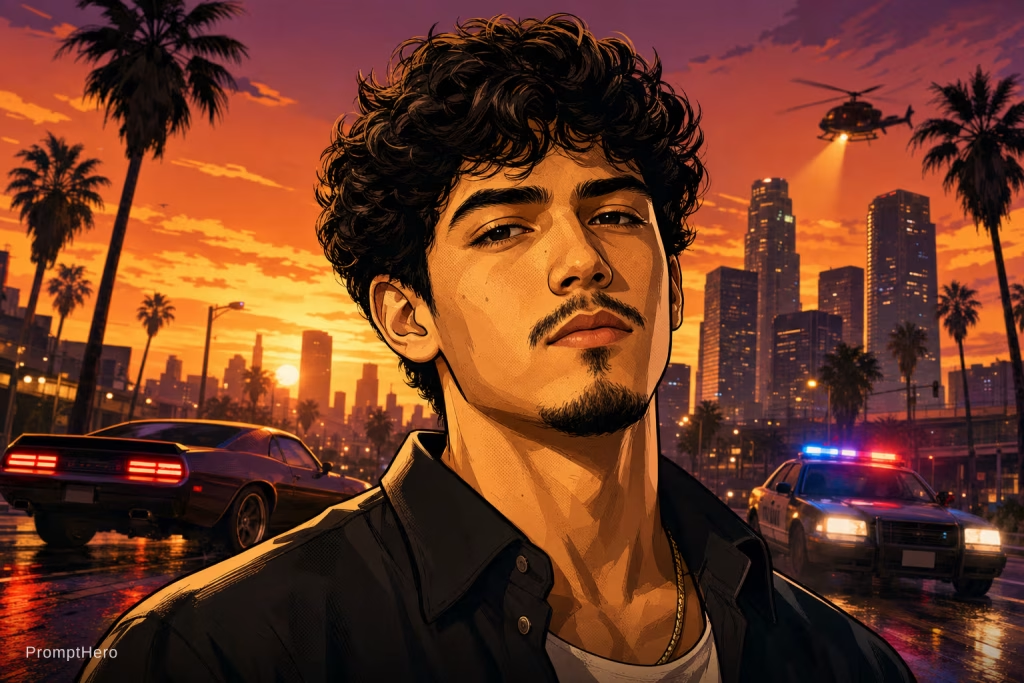
The GTA Character tool takes an uploaded portrait and turns it into a stylized cover illustration inspired by the box art of open-world action games, blending the real photo with bold, graphic art direction.
How It Works
After uploading a clear photo, the AI restyles it into a graphic, poster-style illustration, applying the color grading, composition, and character styling associated with this genre of cover art.
Why It Is Worth Trying
The result works well as an eye-catching profile picture, a social media post, or a novelty gift for fans of open-world action games, turning an everyday photo into a striking, stylized piece of art.
Getting Started
The GTA Character tool is available on PromptHero for a small number of credits, and only needs a single photo to produce a result.
Final Thoughts
This is a fan-inspired art style rather than an official game product, but it captures the aesthetic closely enough to make for a fun, shareable transformation.
GTA Character Tool Tips
A well-lit, front-facing photo with a clear view of the face tends to produce the most convincing result. As a result, avoiding heavy shadows, sunglasses, or extreme angles helps the AI preserve recognizable features while applying the stylized cover art treatment. Testing a couple of different source photos can also help identify which pose and expression translates best into the finished cover art.
GTA Character Tool FAQs
Is the GTA Character tool an official Rockstar product? No, it is a fan-made AI style transfer inspired by the genre’s box art and is not affiliated with or endorsed by the game’s publisher.
How many photos are needed to create a cover? In short, just one clear portrait is enough, since the AI only needs a single reference image to generate the stylized result.
Deja un comentario